STM32 without the guesswork.
After Arduino, CubeMX, HAL and the reference manual can feel like a wall. These 16 short lessons take you from a blinking LED to PWM, timer interrupts and UART on an STM32 board, with every step, all the code, and what you should see at the end. Basic C is enough.
8 free lessons with video · $20 once for the rest · 14-day money-back guarantee
Rated 4.9/5 by students (11 reviews) · By Yerke, Steppeschool · Steppe School on YouTube: 8,000+ subscribers, 900,000+ views
Made for your first steps with STM32
For you if
- you know basic C, maybe from Arduino, and want to move to STM32
- you need STM32 for a university project or your first embedded job
- you tried tutorials that skipped a step, and got stuck
Not for you if
- you already set up timers, PWM and UART with the HAL without help
- you are looking for an RTOS, DMA or USB course
From an empty project to a board that talks to your PC
Start a project
Create an STM32 project in CubeMX, blink the LED and read the button.
React instantly
Let an interrupt tell the CPU when the button changes.
Keep exact time
Count time with a hardware timer, and run code every millisecond with a timer interrupt.
Dim with PWM
Fade the LED smoothly with a hardware PWM signal.
Talk to your PC
Send text from the board to your computer over UART.
Understand the ARM core
Learn core ARM Cortex-M concepts: interrupts and the NVIC, the memory map, the buses and the CPU registers, and where ST's documents explain each one.
The end result of the course, in 22 seconds.
Every lesson tells you what you should see
Most tutorials skip a click, or leave you with code that builds but does nothing. Here each lesson ends with a check, so you know it works before you move on.
Watch
A short video and the idea in plain words, with a picture first.
Do
Numbered steps with screenshots, and code you copy with one click.
Check
What you should see, and the usual fixes if you don't.
Still stuck? Ask under the lesson: I answer myself, usually within a day and often within a few hours.
Hi, I'm Yerke
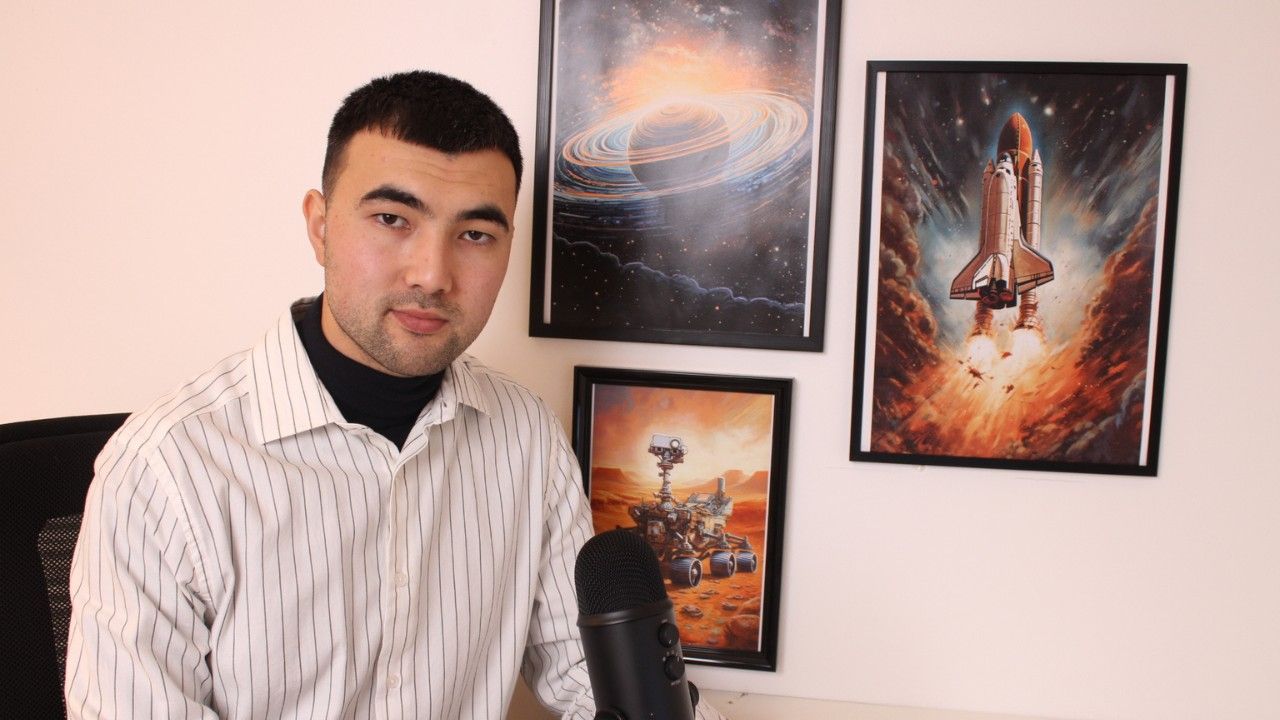
I'm the founder of Steppeschool. I hold a Bachelor's degree in Electrical Engineering, and a Master's and a PhD in Robotics/Mechatronics, and I work as an automation engineer. In my free time I teach electronics, embedded programming and robotics.
My free tutorials are on the Steppe School YouTube channel (over 8,000 subscribers, 900,000+ views). I also teach the Steppeschool courses on STM32 attitude estimation, a quadcopter flight controller, a self-balancing robot, CAN bus and a custom bootloader.
What students say
4.9 out of 5 from 11 student reviews.
Eight chapters, 16 lessons
Chapters 0–3 are free: setup, GPIO, interrupts, clocks and timers. Chapters 4–7 are where the timers do real work: PWM, timer interrupts, UART, and a look inside the chip.
0STM32 setup: CubeIDE and CubeMX free
What the course covers, and the two free tools you install.
STM32 setup: CubeIDE and CubeMX free
What the course covers, and the two free tools you install.
1GPIO: the first project free
Create a project for the NUCLEO-F401RE, blink the LED and read the button.
GPIO: the first project free
Create a project for the NUCLEO-F401RE, blink the LED and read the button.
2External interrupts free
Let the button tell the CPU when it changes, instead of checking it all the time.
External interrupts free
Let the button tell the CPU when it changes, instead of checking it all the time.
3Clocks and timers free
Where the chip's speed comes from, and a timer that counts time for you.
Clocks and timers free
Where the chip's speed comes from, and a timer that counts time for you.
4PWM full course
Use a timer to dim the LED smoothly.
PWM full course
Use a timer to dim the LED smoothly.
5Timer interrupts full course
Run code at an exact rate, with no delay in the loop.
Timer interrupts full course
Run code at an exact rate, with no delay in the loop.
6UART full course
Send text from the board to your computer over the USB cable.
UART full course
Send text from the board to your computer over the USB cable.
7STM32 documents and architecture full course
The documents ST publishes for the chip, and what is inside the microcontroller.
STM32 documents and architecture full course
The documents ST publishes for the chip, and what is inside the microcontroller.
An STM32 board and a USB cable
- Board
An STM32 board
Any STM32 board works; the lessons show the NUCLEO-F401RE. Its LED and button are all you need, and its ST-LINK programmer is built in. It costs about $20 from distributors such as Mouser, Arrow or TME (prices vary). On another board, only pin names, clock settings and some timers change.
- Cable
A USB cable that carries data
It powers the board, flashes it, and carries the UART text to your computer.
- Software
Free tools
STM32CubeMX and STM32CubeIDE from ST, on Windows, macOS or Linux. Lesson 0.2 installs them.
Start free. Pay once when you want the rest.
Free
$0
- Chapters 0–3: setup, GPIO, external interrupts, clocks and timers
- 8 lessons with video, all steps and code
Full course
$20 one-time, lifetime access
- Everything in Free
- Chapters 4–6: hardware PWM, a timer interrupt with an empty main loop, and text to your computer over UART
- Chapter 7: the datasheet, reference manual and errata, and what is inside the chip
- Ask me questions under every lesson
- Video captions and a certificate of completion
Checkout on steppeschool.com. Instant access after payment. 14-day money-back guarantee, no questions asked.
Questions
Do I need to know C?
Basic C is enough: variables, if, loops and functions. Each new idea comes with a picture first, then the code.
Is it HAL only, or registers too?
The lessons use STM32CubeMX and the HAL library, the way most STM32 projects start today. Chapter 7 explains the documents and what is inside the chip, and the bonus lessons in the full course write to the registers directly (CMSIS).
Which computer do I need?
Windows, macOS or Linux. STM32CubeMX and STM32CubeIDE are free and run on all three.
Can I use another board?
Another Nucleo board works with small changes to pins and clock settings. Cheaper boards such as the “Blue Pill” can work too, but they have no built-in programmer, so you also need an ST-LINK. Describe your board under a lesson and I'll help you set it up.
How long is it?
16 short lessons. The free lessons alone have about 80 minutes of video.
What are the bonus lessons?
36 video lessons from the previous edition of this course: register (CMSIS) programming, bitwise operations, the startup file, MCU architecture, UART receiving and the ADC. They were recorded with an older STM32CubeIDE, so some menus look different, but register code does not depend on the IDE version.
What do I get when I pay?
Instant, lifetime access on steppeschool.com: the 8 full-course lessons with videos, steps and code, the 36 bonus lessons, video captions, a certificate of completion, and a place to ask me questions under every lesson. We add lessons over time, and you get them too.
Where do I pay?
On steppeschool.com, the school's own site, in US dollars. You pay $20 once; there is no subscription.
How do I open the full course after I pay?
You get an email to set your password. Then log in at steppeschool.com: the course is in your library.
What if the course is not for me?
Write to us through the contact page within 14 days and you get your money back. No questions asked.
Blink your first LED today. It's free.
Install the tools, create the project, and see it work.